Introduction
This document defines the official documentation standards and style guidelines for Varibill’s customer-facing documentation.
IMPORTANT!
This guide is a living document and will evolve alongside the Varibill platform.
These guidelines serve as the single source of truth for how all external (public) documentation is written, structured, styled, and presented across Varibill’s customer support and documentation platforms, including:
- The Freshdesk Knowledge Base and Solution Pages
- Online support and help articles
- Customer-facing product guides and how-to documentation, content, and media.
- Downloadable documentation (such as future PDFs and personalised customer guides).
The goal of this guide is to ensure all Varibill customer documentation is:
- Consistent in structure seeing style and visual presentation
- Clear, accessible, and easy to navigate
- Professional and aligned with the Varibill brand
- Scalable and maintainable as the product evolves
Where possible, these standards are enforced directly in the Freshdesk Knowledge Base through Varibill portal theming, layout rules, navigation structure, and reusable templates.
All new customer-facing documentation and all significant updates to existing documentation in the Freshdesk Solutions portal must adhere to this guide.
Scope & Audience
Applies to:
- Solution Pages
- Help articles
- Guides and onboarding documentation
- Downloadable PDFs
Document Types
How-to Guides
Step-by-step procedural documentation guiding users through a specific task.
Concept / Overview Articles
High-level explanations describing system behaviour, architecture, or workflows.
FAQ Articles
Short, focused answers to common user questions.
Troubleshooting Guides
Problem–solution structured documentation for resolving known issues.
Release Notes / Announcements
Structured updates outlining new features, improvements, fixes, and performance enhancements.
Writing Style & Language
Voice and Tone
- Professional and neutral
- Instructional and solution-focused
- Direct, conversational, when providing instructions we may refer to "you", "your", "their" and when describing processes or case studies, we may defer to "users", "The user", "customer".
- When we refer to Varibill customers we will always use "customer" and avoid using "client". References to "the client" are preferred for Varibill's Client application, or "the Varibill Client".
UI Label Formatting
Always reference UI elements exactly as displayed in the application.
Example: Select Billing Documents from the navigation menu.
Terminology Rules
- Always use US (American) English.
- Microsoft writing standards will apply based on Varibill's product offering, integrations, and scope of growth.
- Maintain consistent terminology across all documentation.
- Avoid internal development terminology/lingo in public-facing, customer articles.
Do’s & Don’ts
- Do use descriptive link text.
- Do structure long content using headings.
- Do use ordered lists as the preferred listing method as it enables simple referencing - except when listing grouped information.
- Don't use “Click here” phrasing and opt instead for Click here especially when referencing UI elements. E.g. Click the Sign out button to exit the Source Collector Editor page.
Content Structure Rules
Heading Hierarchy
- H1: Article title (system-generated)
- H2: Primary Major article sections - H2 headings will be the largest article body content used.
- H2 font sizing will always be set to 24px bold.
- H2 headings will always be set to populate the primary (top level) right side-navigation (in-article) table of contents.
- H3: Subsections
- H3 font sizing will always be set to 18px.
- H3 headings will always be set to populate the secondary level right side-navigation table of contents.
- H4: Third-level Subsections
- H4 font sizing will always be set to 16px bold italic.
- H4 headings will not populate the right side navigation table of contents.
Paragraph Length
Limit paragraphs to 3–5 lines for readability.
Page Flow
Content should move logically from:
- Overview/Introduction
- Actions/Steps
- Resolution/Closing
Lists, Steps & Procedures
Ordered vs Unordered Lists
- Use numbered lists for sequential steps
- Use bullet lists for grouped information
Step Numbering Rules
Each numbered step must contain one primary action.
Nested Lists
Do not nest more than three levels.
One Action Per Step
Avoid combining multiple actions into a single step.
Visual Design & Formatting Standards
Typography
- Fonts:
- Headings: Open Sans
- Body: Segoe UI (fallback: Helvetica, Open Sans, Arial)
- Body text: 16px, normal
- H2: 33px bold
- H3: 24px, normal
- H4: 18px bold, italic
Spacing & Alignment
- Maintain consistent vertical spacing
- Avoid excessive empty lines
- Left-align all content including images, video, screenshots.
Components & Callouts
Notes
NOTE: This callout box highlights information that adds clarity or context.
Warnings
WARNING! This callout box draws attention to potential risks, disruption, or potential negative impact.
Tips and Tricks
TIP: This callout box provides practical advice to users to help complete tasks more efficiently, optimise workflow, or make use of a particular function.Code Blocks
<script nonce="{{portal.nonce}}">
document.addEventListener("DOMContentLoaded", function () {
  const searchInput = document.querySelector('input[type="search"]');
  if (searchInput) {
    searchInput.placeholder = "Search documentation…";
  }
});
</script>
Screenshots, Images & Media
When to Use Screenshots
- When visual context improves clarity
- When referencing complex UI layouts
Image Rules
- Crop all media to relevant areas only.
- Remove all sensitive/customer related data from all media.
- This is crucial and requires secondary checks - this must be checked by designated reviewer before publishing.
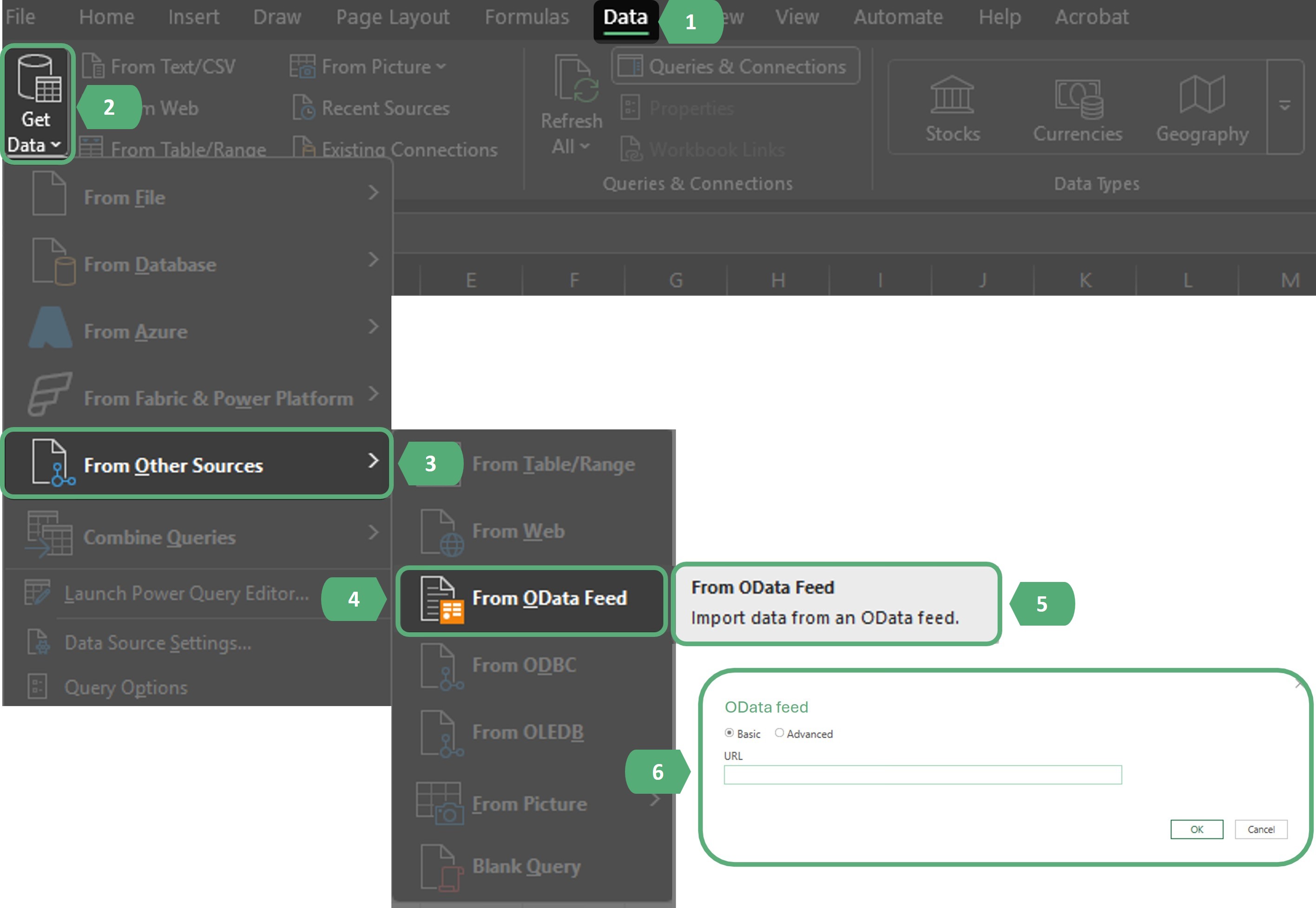
- Apply dark overlay to full screenshot / media area - highlighting only the active areas.
- Number the active areas in sequential order.
- All text applied to all forms of media must match the font and style guides that apply to the platform on which they're posted.
- Full screen screenshots must always be 500px wide (post publication images will open and appear at their full resolution when clicked by users).
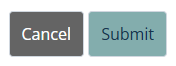
- Buttons/popup screens etc. must always be 180px wide (post publication images will open and appear at their full resolution when clicked by users).
Example of a full screenshot:
Example of a button/popup screen:
Video Rules
Use short, focused demonstration videos when process clarity benefits from motion.
Accessibility
- Use headings for navigation structure - H2 and H3 headings will populate the in-article Table of Contents.
- Provide descriptive link text for hyperlinks.
- Add alt text to images.
- Add appropriate tags and SEO properties to articles when publishing.
- Ensure sufficient contrast for readability.
Freshdesk-Specific Rules
- Only H2 and H3 are used for Table of Contents generation
- Do not override theme typography with inline styles
- Use approved templates when available.
- Avoid embedding external scripts unless required
Governance & Maintenance
- The Documentation Owner maintains this guide
- Proposed updates must be reviewed before adoption
- Standards will be version-controlled
- Major updates will be communicated internally
Was this article helpful?
That’s Great!
Thank you for your feedback
Sorry! We couldn't be helpful
Thank you for your feedback
Feedback sent
We appreciate your effort and will try to fix the article